MuADMINS
Solutions
Short fixes for common MU Online server, client and website problems, each with its source and date. “Confirmed” means the person who asked said the fix worked.
2 solutions for “vip editor” in Game client · Clear
MuEmu S6 (update 13 files): where to change the text shown in the Buy VIP window
1. The Buy VIP window texts are client side, in the MainInfo source files. 2. Edit CustomMessage.txt and CustomBuyVip.txt in the MainInfo folder with your own VIP names, prices and info....
✓ Confirmed by the topic starterTUServerMU · 2020-08-25VIP prices were changed on the server (1500/2000/2500 WCoin) but the client still shows 15/20/25.
1. Open the MainInfo folder and edit CustomBuyVIP.txt with the same prices. 2. Generate the MainInfo again. 3. Copy the new output into the client.
✓ Confirmed by the topic starterRaGEZONE · 2025-11-26
More answers for “vip editor”
2 in Game client, 7 in other categories and server files:
Cash Shop and VIP Editor (Dino): how to connect it to SQL Server and which columns it needs
1. Enter the SQL Server IP, login, password and port, then click Connect. 2. Leave the filter empty to list all accounts, or type an account name. 3. Choose the VIP type and the amount of...
MainInfo (Louis Update 13): the CustomMenu VIP texts and the Portuguese messages at the top of the screen do not change after editing the server files
1. Editing Data/Custom/CustomBuyVip.txt on the server is not enough: the client side copy lives in MainInfo. 2. Edit CustomBuyVip.txt in the MAIN INFO folder with the same values. 3. The...
✓ Confirmed by the topic starterTUServerMU · 2018-09-28Where are accounts, VIP, credits, resets and bans in the DV-Team Season 19 database (MySQL / MariaDB)?
DV-Team does not use SQL Server: the database is a MySQL / MariaDB dump (Navicat), databases muonline (127 tables) and log (22 tables). There is no MEMB_INFO and no stored procedure, so S...
Not verifiedWritten by MuADMINSLouis S6 EP3: how to disable the VIP purchase option for now
1. On Louis S6 Episode 3 files the VIP purchase options are set in MuServer\Data\Custom\CustomBuyVip (server side). 2. Edit that file to switch off or remove the VIP packages you do not w...
✓ Confirmed by the topic starterTUServerMU · 2020-08-06CustomNpcMove Enterprise Editor: how do I edit CustomNpcMove.txt of MuEmu 0.97k kayito without breaking it?
1. It needs Windows 10/11 or Server 2022 and Python 3.10 or newer, no extra libraries. 2. Run CustomNpcMove_Enterprise.py. 3. Click Monster.txt and select the GameServer file (for the NPC...
MainInfo (Louis Emulator S6): how to rename the sub servers and remove the '(Gold)' label with ServerList.bmd and CustomServerName.txt
1. With Pentium Tools open the client Data/Local/ServerList.bmd: it has 3 entries; give all three the same server name (for example MeuServer). 2. On the server, note the number of each s...
✓ Confirmed by the topic starterCreandoMU · 2022-10-09Which website CMS expects which MU database columns (WebEngine table maps, DmN)
WebEngine 1.2.7 picks a table map by server files (includes/config): - igcn.tables.php / custom.tables.php: resets = Character.RESETS, grand resets = Character.GrandResets, VIP = T_VIPLis...
Not verifiedWritten by MuADMINS
Videos on MUTube
 IGC.ToolKit [Premium] - Shop Editor Overview
DrabanL · 1:38 · 2013
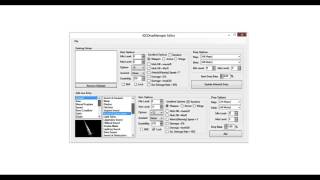 IGC.ToolKit [Premium] - IGCDropManager Editor Overview
DrabanL · 1:21 · 2013
 IGC.ToolKit [Premium] - BMD Files Editor Overview
DrabanL · 5:19 · 2013
 IGC.ToolKit [Premium] - Monster Set Base & Monster Editor Overview
DrabanL · 4:16 · 2013