MuADMINS
Solutions
Short fixes for common MU Online server, client and website problems, each with its source and date. “Confirmed” means the person who asked said the fix worked.
6 solutions for “serverinfo.bmd” in Game client · Clear
The server select screen shows my server as 'Name-12'; how do I make it show 1?
1. The number after the name is the GameServer code plus 1: code 11 in the ConnectServer server list shows as 12 in the client. That is normal. 2. Change the server code to 0 in the Conne...
✓ Confirmed by the topic starterRaGEZONE · 2018-02-01MGTEAM Season XI files: 'New version of the game is required' and I do not know where to change version and serial
1. The client version and serial must match the GameServer exactly. 2. In these files the server side values are in GameServer\Data\GameServerInfo - Common.dat. 3. Put the version and ser...
✓ Confirmed by the topic starterRaGEZONE · 2017-09-17IGCN Season 12: the server runs, but after loading the client says the game needs to be updated.
1. Open IGCData/IGC_MapServerInfo.xml on the server and read the client version and serial. 2. Put the same IP, version and serial in the client info editor (serverinfo generator). 3. Gen...
✓ Confirmed by the topic starterTuServerMU · 2019-04-06'You are disconnected from the server' when selecting the server, after the IP was changed in many config files (MuEmu files).
1. Put your IP only in ConnectServer/ServerList.dat and GameServer Data/MapServerInfo.dat. 2. Leave every other IP entry at 127.0.0.1. 3. If you use the antihack, open its port 55999. 4....
✓ Confirmed by the topic starterTuServerMU · 2021-02-20How to make a 1.04D main.exe connect to my server (version and serial)
1. In the [GameServerInfo] section of the server config the client version is written as numbers: ClientExeVersion = 1.04.04 means 1.04D (the last number is the letter: 4 = D). 2. Put the...
✓ Confirmed by the topic starterDarksTeam · 2008-05-16The server shows online but the login box never appears; after a few seconds the client disconnects (Louis S6 Premium Update 13).
1. In MAIN_INFO MainInfo.ini use the same CustomerName, Version and Serial as GameServer and GameServerCS (Data/GameServerInfo - Common.dat), plus your server IP. 2. Generate; main.premiu...
✓ Confirmed by the topic starterTuServerMU · 2019-09-08
Videos on MUTube
 Creating a MuOnline Server without errors NO-IP Season 4
Help MuOnline · 23:26 · 2021
 MuEMU - [ SQL Server ] + [ Database ] + [ IP Configuration ]
MUEMU Servers · 13:12 · 2016
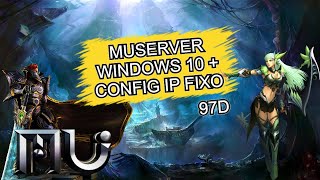 HOW TO CREATE A MUSERVER 97D CONFIGURED WITH FIXED IP (OR NO-IP)
Kiuzs · 22:44 · 2021
 Create No-IP + configuration for the MuOnline server
Danny RF · 4:02 · 2017