MuADMINS
Solutions
Short fixes for common MU Online server, client and website problems, each with its source and date. “Confirmed” means the person who asked said the fix worked.
2 solutions for “pick” in Game client · Clear
MuMain: with the UI language set to Traditional Chinese (zh-TW) every Chinese character renders as an empty box
1. The cause: the fonts bundled with the client had no CJK glyphs, so the existing zh-TW translations could not be drawn. Latin and Cyrillic text rendered fine. 2. Update the client to a...
✓ Confirmed in the issueGitHub (sven-n/MuMain) · 2026-09-26OpenMU: which connect server port should my client use, and why do I get disconnected right after choosing a server?
1. Use port 44405 for the original client and 44406 for the open source client (sven-n/MuMain). 2. A disconnect right after server selection means the address reported by the IP resolver...
More answers for “pick”
2 in Game client, 43 in other categories and server files:
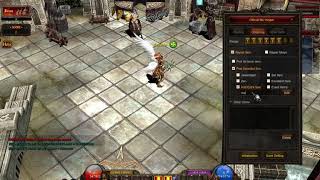
Louis update 24 Premium: the MU Helper is set correctly but does not pick up items.
1. The asker had enabled the option that lets the MU Helper use the inventory. 2. That option broke the pick up. 3. Disable it again and the helper picks items normally.
✓ Confirmed by the topic starterCreandoMU · 2021-02-18Louis S8 update 24: the GameServer crashes when a player picks up an excellent item.
1. Open custom.dat in the Custom Pick Message section. 2. Delete the PickMessageExcellent line, it does not exist in S8. 3. Keep PickMessageSwitch and PickMessageColor and restart.
✓ Confirmed by the topic starterCreandoMU · 2021-02-07WebEngine CMS: official plugins always show the default language, not the language the visitor picked
1. The official plugins' loader.php loads languages/ + config('language_default', true) + /language.php, so the visitor's choice is ignored. 2. In the plugin's loader.php take the session...
✓ Confirmed in the issueGitHub (lautaroangelico/WebEngine) · 2024-12-27MuEmu S6 (Louis): the client reaches the server selection, but when I pick the server it disconnects. What is missing?
1. The ConnectServer port works, but the GameServer port (55901 by default) is blocked. 2. For a local test, add an inbound firewall rule for the GameServer port (or briefly turn off Wind...
✓ Confirmed by the topic starterTuServerMU · 2018-11-16Pentium Tools: how to know which OZJ texture belongs to a BMD model taken from another Season 6 client
1. Open the BMD in Pentium Tools to see the model. 2. Use the image viewer option of the same Pentium Tools (View Image or similar) to browse the OZJ files of that client. 3. Pick the OZJ...
✓ Confirmed by the topic starterTUServerMU · 2016-12-01MFS Database Tool: the backup gives the same error as other backup managers, even with (local), Windows authentication or 127.0.0.1
1. Connect to your SQL Server as usual (the tool supports SQL Server 2000 and 2008 style connections). 2. Do not pick the database with the drop down button: type the database name (for e...
✓ Confirmed by the topic starterRaGEZONE · 2014-02-11MuMain: the macOS build fails with Homebrew LLVM 23: 'use of undeclared identifier malloc' in the spdlog bundled format.h
1. The macOS toolchain picks Homebrew LLVM when it is installed. With LLVM 23.1.1 the build stops with format.h:747:28: error: use of undeclared identifier 'malloc' (spdlog v1.15.3 bundle...
✓ Confirmed in the issueGitHub (sven-n/MuMain) · 2026-10-08Pentium Tools + MilkShape: the OZJ textures of a custom set clash with files already in Data/Player; how to rename the texture a BMD uses
1. Convert the set BMD to SMD with Pentium Tools (or another converter). 2. In MilkShape use File > Import to open the SMD (it does not open SMD with Open). 3. In the Materials tab change...
✓ Confirmed by the topic starterTUServerMU · 2018-05-04