MuADMINS
Solutions
Short fixes for common MU Online server, client and website problems, each with its source and date. “Confirmed” means the person who asked said the fix worked.
7 solutions for “new items” in Game client · Clear
A new custom item is invisible in game although item.bmd and the item txt are configured
1. Check the item files: the model .bmd and its texture (.ozj) must be in the client. 2. If they are there, the main.exe itself cannot load new items: the original main does not support c...
✓ Confirmed by the topic starterRaGEZONE · 2017-04-24Item descriptions show in strange colors and with wrong extra lines in the client
1. In the files client tools, open the EncryptBMD folder. 2. Edit JCItemtooltip.txt and JCTexttooltip.txt (item tooltip texts and colors). 3. Encode them back to .bmd with the encoder of...
✓ Confirmed by the topic starterTUServerMU · 2021-04-29MuEmu S6 Update 13: wings can be equipped by the wrong classes although Item.txt looks right
The class columns of the client item.bmd did not match the server Item.txt. 1. Check the wing lines (in the thread items 204 to 210) in MuServer\Data\Item\Item.txt: each class column says...
✓ Confirmed by the topic starterTUServerMU · 2020-08-22Louis S6 (update 19): shop items priced in WCoin through ItemValue.txt do not show the WCoin price in the client.
1. Open MainInfo.ini (the client main settings of the Louis files). 2. Find 'Enable New Shop Value System' and change EnableShopValueSystem = 0 to EnableShopValueSystem = 1. 3. Apply the...
✓ Confirmed by the topic starterTuServerMU · 2023-11-23X-Team files: new custom jewels show the image of another jewel (jewel 1 shows the jewel 5 picture).
1. The item index in the client item.bmd was edited wrong. 2. Fix the index with the X-Team item editor (the IGCN editor caused the problem here). 3. Update the client.
✓ Confirmed by the topic starterTuServerMU · 2020-08-25MuEmu S6: custom wings cannot be placed in the Chaos Machine to upgrade them from +10 to +15.
1. The client side Mix.bmd decides which items the machine accepts. 2. Add a new section in Mix.bmd for the custom wings. 3. Copy the new Mix.bmd to the client.
✓ Confirmed by the topic starterTuServerMU · 2019-07-17S6 files with LuckyWheel (KoshGames based): changed the rewards, but the wheel still shows the old pictures and the edited message does not change
1. Texts: these files have the message file in several languages (Message.txt in three languages, also Data\Util\Mensaje_xxx.txt); edit the message in every language copy, then restart th...
✓ Confirmed by the topic starterTUServerMU · 2020-10-25
Videos on MUTube
 Mu Online Season 19 Part 1-2 - New Mastery Items Flame Apocalypse To Primordial Lightning
Bruno3D · 2:25 · 2024
 Old School Mu Online New Items Skins
Mauriukas3 · 6:02 · 2010
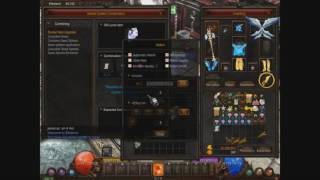 [Mu Online]Season 11.2 New socket Item Upgrade Combination
Javiercar · :35 · 2016
 [REAL MU] Upgrading Mastery Items in the new Chaos Machine #muonline #mmorpg #rpg
Gab Gamer · 7:02 · 2025