MuADMINS
Lösungen
Kurze Fixes für häufige Probleme mit Server, Client und Website bei MU Online, jeweils mit Quelle und Datum. “Bestätigt” heißt: Die Person, die gefragt hat, hat gesagt, dass der Fix funktioniert hat.
1 Lösung für “object1” in Game-Client · Zurücksetzen
How to install a downloaded Lorencia map skin (client folders and server .att file)
1. Read the notes in the archive or its release thread first. 2. Put the two folders of the skin into the client Data\ folder and replace all files. 3. On the server, copy the skin's .att...
✓ Vom Threadersteller bestätigtRaGEZONE · 2017-01-09
Weitere Antworten für „object1“
1 in Game-Client, 2 in anderen Kategorien und Serverdateien:
MU World Editor: a removed object (a tree) still shows in game in Lorencia but is not visible in the editor
1. Back up the map files first. 2. Quick test from the thread: open the client Object1 folder, find the .bmd model of that tree and delete it, then check in game (this removes that model...
✓ Vom Threadersteller bestätigtRaGEZONE · 2024-03-20GFxDec (myheart): how to decrypt the Data folder of a new Webzen client (S18 to S20) to use its maps and models in a lower season
1. Run GFxDec.exe "path/to/Data" from CMD, or drag and drop the client Data folder on GFxDec.exe. 2. It decrypts almost everything into a Decrypted folder, including EncTerrain .obj files...
Videos auf MUTube
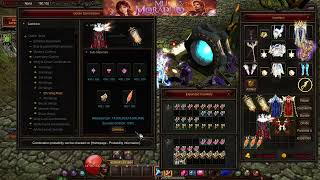 Lv. 5 Wing Divine Object oder 5. Wing Relic erstellen [Teil 1 Wings Lv.5] [Mu Online]
ABC Mu Online · :23 · 2026
 Texturen und Formen von MuOnline-Objekten modifizieren
Josue Ochoa · 1:11:52 · 2021
 60 Mystic Gift Boxes ohne Ausgeben 💲💰💸! Das habe ich bekommen... MU Online 2025 Webzen
mutrax · 8:14 · 2025
 Mapa Custom para o Evento Pandora #muonline
Keky MapMaker · 1:19 · 2025